
YouTube Tag Generator
Apne video topic ya keywords daalein aur 30+ SEO-optimized tags generate karein.
Creating great YouTube videos takes a lot of time, energy, and creativity. You spend hours writing scripts, editing clips, and perfecting the thumbnail. But when you upload the video, you face a common problem: very few views.
Why does this happen?
The answer usually comes down to Search Engine Optimization (SEO) and metadata. If YouTube does not understand what your video is about, it cannot show it to the right audience. This is where a YouTube tag generator comes in to save your time and boost your channel’s growth.
What is a YouTube Tag Generator?
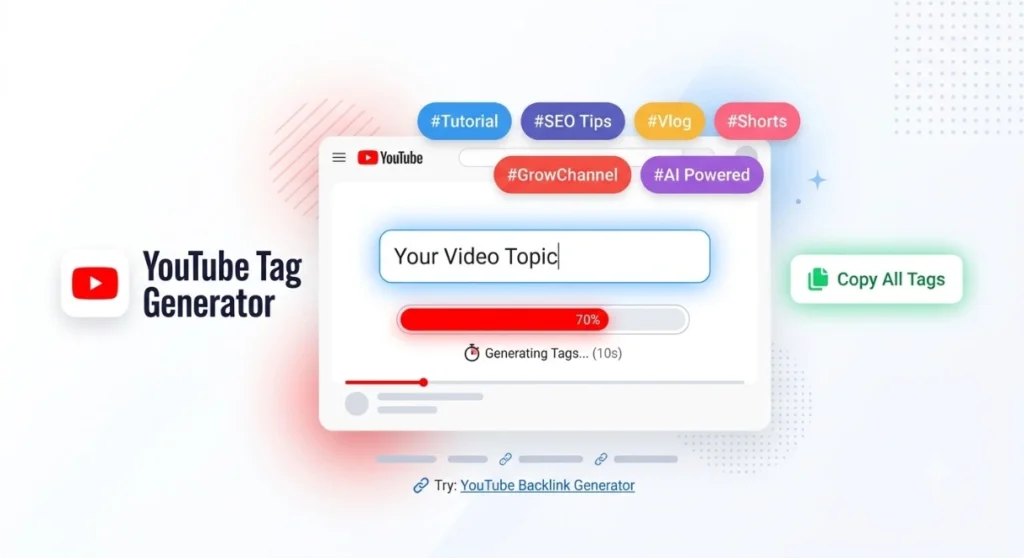
A YouTube tag generator is a free online tool designed to automatically give you the best, most relevant tags and keywords for your YouTube videos and Shorts.
Instead of sitting in front of your screen for thirty minutes guessing what people might search for, you simply type your video topic into the generator. Within seconds, the tool generates a list of optimized tags that you can copy and paste directly into your YouTube Studio dashboard.
Why Do Video Tags Matter?
When you upload a video, YouTube uses algorithms to analyze it. These algorithms look at your:
- Title
- Description
- Thumbnail
- Video Tags
Video tags act as small signposts. They tell YouTube’s search engine the exact context, category, and main topic of your content. When your tags match what users are typing in the search bar, your chances of ranking on the first page or appearing in the “Suggested Videos” column increase significantly.
Features of Our Free YouTube Tag Generator
Our YouTube tag generator is designed to be simple, fast, and effective. You do not need to register, pay a subscription, or download any software.
Here is what makes this tool special:
1. 100% Free and Unlimited
You can generate tags for as many videos as you want. Whether you post once a week or ten times a day, there are no limits.
2. Support for Both Long Videos & Shorts
YouTube Shorts require short, trending, and punchy hashtags, while long-form videos need a mix of broad and specific long-tail keywords. Our tool provides optimized tags suited for both formats.
3. Smart Keyword Variations
When you type a main keyword like “digital marketing,” the generator doesn’t just repeat that word. It creates a complete list including:
- Primary keywords (e.g., digital marketing)
- Long-tail keywords (e.g., digital marketing step by step guide)
- Question-based tags (e.g., what is digital marketing)
- Year-specific tags (e.g., digital marketing 2026)
4. One-Click Copy Feature
Copying tags one by one is frustrating. Our tool formats all generated tags with commas in between. All you have to do is click the “Copy All Tags” button and paste them straight into YouTube Studio.
5. Clean and Responsive Design
Whether you are managing your channel on a desktop, laptop, tablet, or smartphone, the tool adjusts perfectly to your screen size.
How to Use the YouTube Tag Generator (Step-by-Step)
[Enter Your Keyword] ➔ [Click Generate] ➔ [Wait 10 Seconds] ➔ [Click Copy All Tags]- Enter Your Main Topic: Go to the search box at the top of the page. Type the primary subject of your video (e.g., How to make chocolate cake or iPhone 15 review).
- Click “Generate Tags”: Hit the red button to start the keyword research process.
- Let the Tool Work: The progressive loading bar will analyze trending search patterns and gather over 30 relevant tags for your topic.
- Copy the Results: Click on “Copy All Tags”. Paste into YouTube Studio: Open your YouTube video upload page, scroll down to the Tags section, and press Ctrl + V (or Cmd + V on Mac) to paste them all at once.
Best Practices for Using YouTube Tags in 2026
While using a tag generator gives you a huge advantage, knowing how to use tags correctly will give you even better results. Here are some simple, practical tips every creator should follow:
Mix Broad and Specific Tags
Don’t use only broad tags like “cooking” or “gaming.” Combine broad categories with specific details.
Example:
If your video is about baking a vegan chocolate cake:
Broad Tag: Cooking, Baking, Recipe Specific Tag: Vegan chocolate cake recipe, How to bake cake without eggs
Put Your Main Keyword First
YouTube pays the most attention to the first few tags in your list. Always place your main target keyword right at the beginning.
Don’t Overstuff Tags
YouTube allows up to 500 characters in the tag section.
You don’t always need to use all 500 characters. Quality is much more important than quantity. Stick to 15 to 30 highly relevant tags rather than adding random words that don’t match your video.
Match Your Tags with Your Title and Description
SEO works best when your title, description, and tags say the same thing. If your tag is “best budget laptop,” make sure that phrase also appears naturally in your video title and within the first two lines of your description.
Frequently Asked Questions (FAQs)
Are YouTube tags still important?
Yes! While titles and thumbnails drive clicks, tags help YouTube categorize your video accurately, especially when you are a new creator without a massive subscriber base.
Can I get penalized for using wrong tags?
Yes. Placing misleading tags (for example, using a famous celebrity’s name when they are not in your video) violates YouTube’s spam policies. Always use tags that directly relate to your content.
Is this YouTube Tag Generator really free?
Yes, it is 100% free with no hidden charges, no account creation required, and no limits on daily searches.
Final Thoughts
Growing a YouTube channel requires consistent effort, good content, and smart optimization. You don’t need to waste time manually researching keywords when technology can do it for you in seconds. Use our free YouTube Tag Generator today to optimize your videos, rank higher in search results, and reach the audience your content deserves!