
Image Compressor
Optimize and reduce your image file size instantly. 100% client-side and secure.
Drag & drop your image here or Browse
Big, high-quality images look amazing, but they can also make your website slower than you think. Slow-loading pages can frustrate visitors, increase bounce rates, and even affect your search engine rankings.
That’s where our Free Online Image Compressor comes in. It helps you reduce image file size while keeping your photos sharp and clear.
Whether you’re a blogger, designer, student, developer, or business owner, you can compress your images in just a few clicks—without installing any software.
What Is an Image Compressor?
An image compressor is a tool that reduces the file size of an image while preserving as much visual quality as possible. Smaller image files load faster, are easier to share, and take up less storage space.
The best part? Our tool works entirely in your browser. Your images stay on your device throughout the process—they are never uploaded to any server. That means your files remain private, secure, and under your control.
Why Should You Compress Your Images?
Compressing images isn’t just about saving space. It offers several real benefits: Faster Website Loading Large image files are one of the biggest reasons websites load slowly.
Compressing them helps your pages open faster, creating a smoother experience for your visitors. Better SEO Performance, Page speed is an important ranking factor for search engines like Google.
Optimized images can improve loading times, which may help your website perform better in search results. Save Storage and Bandwidth Smaller images require less storage space and use less bandwidth.
This is especially useful if you manage a website with lots of photos or have limited hosting resources. Easier File Sharing Many websites, email services, and online forms have file size limits.
Compressing your images makes it much easier to upload, send, and share them without running into size restrictions.
How to Use Our Image Compressor
We’ve kept the process simple so anyone can use it. Step 1: Upload your image by dragging it into the upload area or clicking Browse to select a file from your device. Step 2: Check the original file size displayed by the tool.
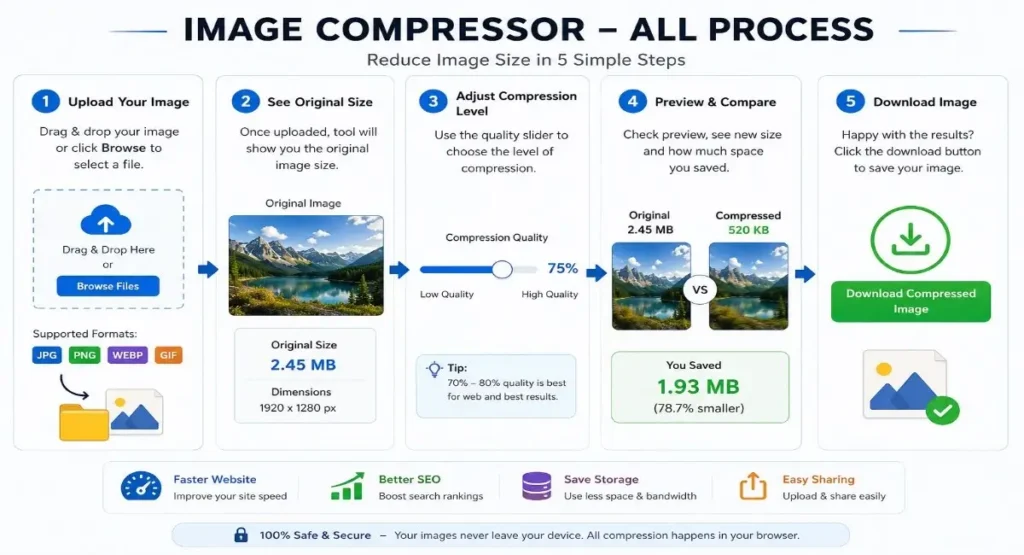
Step 3: Move the quality slider to choose your preferred compression level. For most websites, 70–80% quality offers an excellent balance between image quality and file size.
Step 4: Preview the results instantly. You’ll see the compressed file size, how much space you’ve saved, and a live comparison before downloading.
Step 5: If you’re happy with the result, click Download Compressed Image to save the optimized version to your device.
Looking for a fast and free online image resizer? This tool lets you resize JPG, PNG, WEBP, and GIF images in seconds without installing any software. It works directly in your browser, keeping your images private and secure. Perfect for social media, websites, documents, and everyday use.
Safe, Fast, and Completely Free
Your privacy matters. Since all compression happens directly in your browser, your images never leave your device. There’s no need to create an account, upload files to a server, or wait for processing. Just upload, compress, and download—it’s that simple.
Start Compressing Your Images Today If you’re looking for a quick and reliable way to reduce image file size without sacrificing quality, you’ve come to the right place. Our free online image compressor is designed to make image optimization easy for everyone. Try it today and enjoy faster websites, smoother uploads, and better-performing images—all for free.