
Website Speed Test & Core Web Vitals Auditor
Analyze real-time Google performance metrics and Core Web Vitals for any domain.
Need your website to load under 1 second?
A low speed score directly hurts your SEO rankings and conversion rate. I help fix Core Web Vitals and optimize site speed to achieve 98+ guaranteed scores.
Buy Speed Optimization Script @ Rs. 299 only →Are you looking for a fast, accurate, and free Website speed test? You are in the right place. Site speed is one of the most critical factors for online success today.
Whether you run a personal blog, an e-commerce store, or a business website, the speed at which your pages load determines whether visitors stay or leave.
Our free PageSpeed Insights auditor gives you real-time data directly from Google’s official metrics, showing you exactly how fast your website loads on mobile and desktop devices.
In this detailed guide, we will break down why page speed insight matters, how to interpret your scores, and actionable steps to make your website load in under one second.
Why Is a Website Speed Test So Important?
When a user clicks on your link from Google search results, they expect your page to open instantly. If your site takes more than 3 seconds to load, over 53% of mobile users will hit the back button and visit your competitor instead.
Running a regular website speed test helps you monitor three major pillars of your digital presence:
1. Google Search Engine Rankings (SEO)
Since 2018, Google has officially used page speed as a ranking factor for mobile searches. Sites that load faster get higher priority in Search Engine Result Pages (SERPs).
If your page speed insight score is low, your organic traffic will suffer regardless of how good your content is.
2. User Experience (UX)
A fast website feels smooth, professional, and reliable. Slow loading speeds frustrate visitors, ruin navigation, and decrease overall user engagement.
3. Conversion Rates & Sales
Speed directly impacts your revenue. Studies show that a 1-second delay in page load time can reduce conversion rates by up to 7%. Fast sites convert more visitors into paying customers and subscribers.
Understanding Core Web Vitals (The Metrics That Matter) Under website speed test
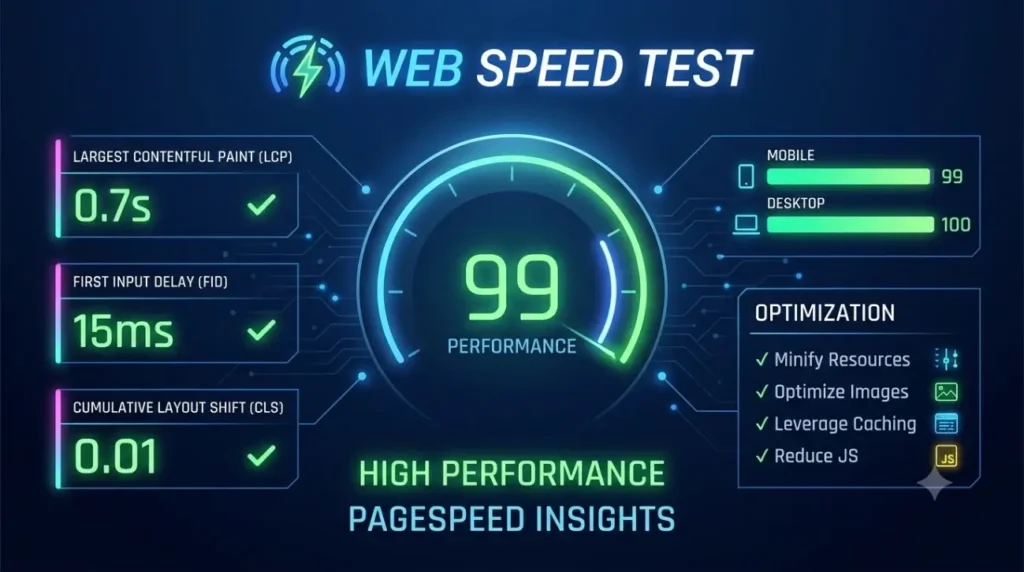
When you run an audit using our PageSpeed Insights tool, you get a breakdown of performance scores along with specific Core Web Vitals metrics. Here is what each metric actually means:
A. Largest Contentful Paint (LCP)
- What it measures: LCP tracks how long it takes for the largest visual element (like a banner image, video, or hero text) to render on the screen.
- Good Score: 2.5 seconds or faster.
- How to improve: Optimize large images, use WebP formats, enable server caching, and use a Content Delivery Network (CDN).
B. Cumulative Layout Shift (CLS)
- What it measures: CLS measures visual stability. It calculates how much the layout shifts while the page is loading (for example, buttons or images suddenly moving down while you try to click them).
- Good Score: Less than 0.1. How to improve: Always set explicit height and width attributes on images and videos, and avoid injecting popups or dynamic ads above existing content
C. First Contentful Paint (FCP)
- What it measures: FCP marks the exact time when the browser renders the very first piece of content (text, background image, or icon) from your site. Good Score: 1.8 seconds or faster.
- How to improve: Reduce server response time (TTFB), eliminate render-blocking CSS/JavaScript, and minify code assets.
How to Read Your Page Speed Insight Score under website speed test
Our tool rates your performance on a scale from 0 to 100 based on Google Lighthouse standards:
- 🟢 90 to 100 (Fast / Good): Your website is well-optimized and meets all modern web standards.
- 🟠 50 to 89 (Needs Improvement): Your site loads adequately, but noticeable bottlenecks are slowing down your user experience.
- 🔴 0 to 49 (Slow / Poor): Your site has severe performance issues that are hurting your SEO rankings and bounce rate.
How to Pass the PageSpeed Test & Achieve a 90+ Score
If your website speed test results show a score below 90, do not worry. You can fix most performance bottlenecks by applying these essential optimizations:
Step 1: Optimize and Compress Your Images
Large image files are the number one reason websites load slowly.
- Compress all images using tools like TinyPNG or WebP converters before uploading them.
- Serve images in modern formats such as .webp or .avif instead of heavy .png or .jpg.
- Enable Lazy Loading so images below the fold load only when the user scrolls down.
Need to compress image under 100kb use our image compressor tool, or resize an image for thumbnail or feature image,
Step 2: Enable Browser Caching
Caching stores static assets (like CSS files, logos, and scripts) directly on the visitor’s browser. When they return to your site or visit another page, their browser does not need to re-download everything from scratch, resulting in near-instant load times.
Step 3: Minify HTML, CSS, and JavaScript
Minification removes unnecessary spaces, comments, line breaks, and unused code from your programming files. Smaller file sizes mean faster download speeds for your visitors.
Step 4: Use a Quality Content Delivery Network (CDN)
A CDN (like Cloudflare or QUIC.cloud) stores copies of your website on global edge servers across the world. When someone visits your site from Europe, the CDN serves data from a European server rather than fetching it from your primary server in Asia or America.
Step 5: Upgrade Your Web Hosting
If you are using cheap, overloaded shared hosting, your site will struggle to maintain good speed scores regardless of how much code optimization you perform. Upgrading to a fast Cloud hosting service or Managed WordPress host makes an immediate difference in server response times.
Frequently Asked Questions (FAQs)
Why does my speed test score vary between mobile and desktop?
Mobile devices usually have slower CPUs, less memory, and rely on cellular networks (4G/5G) rather than high-speed broadband Wi-Fi. Google applies stricter throttling during mobile audits, which is why mobile scores are often lower than desktop scores.
How often should I run a website speed test?
You should run a page speed insight test whenever you install new WordPress plugins, change your theme, add new scripts/tracking codes, or upload major content updates.
Will a 90+ score guarantee top Google rankings?
While speed is a key ranking factor, Google also considers content relevance, backlink profile, and user search intent. However, a fast site gives you a massive advantage over slower competitors.
Summaries – Website Speed Test
Get Professional Website Speed test Optimization Today Struggling to fix Core Web Vitals or pass the PageSpeed Insights test?
Cleaning up database junk, configuring caching, and removing render-blocking scripts can be technical and time-consuming.
If your score is stuck in the red or orange zone, let an expert handle it for you. We specialize in custom web development, script optimization, and speed tuning to guarantee sub-second load times and 90+ scores. Contact us today to optimize your website speed test for maximum performance!